Prices and availability can change. Use the Amazon.ca product page for the latest product details before ordering.
Work & Smart Living · Home Office
The best laptop power banks in Canada are not defined by the largest mAh number. For USB-C laptops, the more useful questions are how many watts one port can negotiate, how output changes when several devices are connected, how quickly the bank itself can recharge, which USB Power Delivery profiles it supports, and how much of the nominal battery energy is actually available after voltage conversion and thermal losses.
This is an intentionally tiered comparison. INIU Cougar P62 is a compact 20,000mAh 65W option for ultrabooks and other 45–65W USB-C laptops; UGREEN Nexode 20K steps up to a 100W main USB-C port; and Anker 737 PowerCore 24K adds 24,000mAh capacity and USB PD 3.1 output up to 140W. The higher tiers do not automatically charge every laptop faster—the computer, cable and negotiated USB-C profile still determine what power can actually flow.
Fast Answer
UGREEN Nexode 20K 100W is the best-balanced choice for most USB-C laptop users. Its primary USB-C port reaches 100W, the secondary USB-C port reaches 30W, the bank recharges at up to 65W, and the 72Wh pack stays lighter than Anker 737. Anker 737 is the premium choice for laptops that can genuinely use a 140W USB PD 3.1 source or buyers who value its real-time charging display and 140W two-way power architecture. INIU Cougar P62 is the better value when your laptop normally uses a 45W or 65W USB-C charger and paying for 100–140W output would add electrical headroom you cannot use.
Affiliate disclosure: Hamejur may earn a commission from qualifying Amazon.ca purchases made through links in this guide, at no extra cost to you.
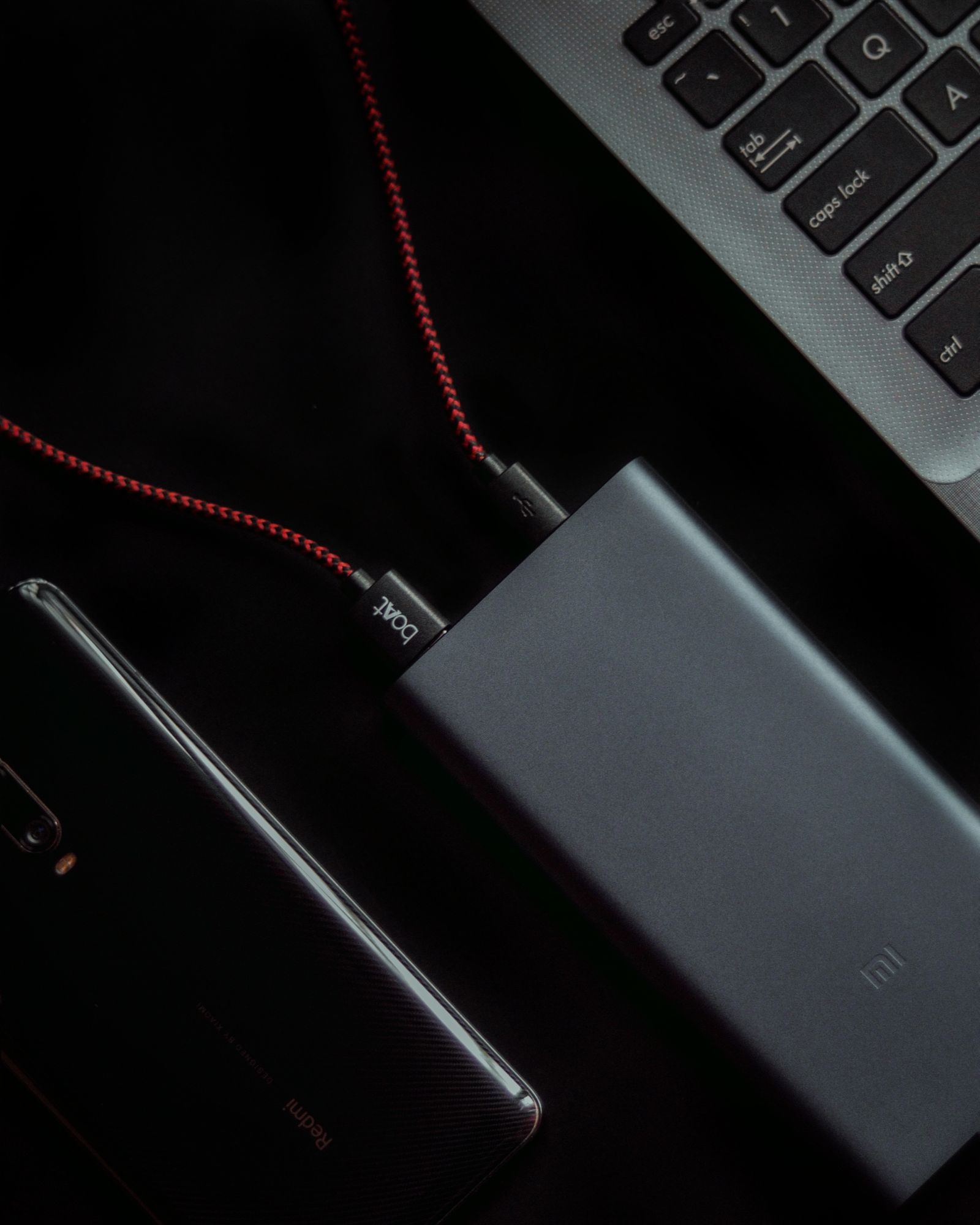
USB-C charging is a negotiated system involving the power bank, cable and laptop—not just the wattage printed on one component. Stock photo: Pexels.
Laptop Power Banks Compared
Model
Nominal capacity
Maximum USB-C output
Recharge input
Ports
Best fit
Anker 737 PowerCore 24K
24,000mAh
Up to 140W; 140W total system ceiling
Up to 140W USB-C PD
2× USB-C + 1× USB-A
High-power USB-C laptops and detailed power monitoring
UGREEN Nexode 20K 100W
20,000mAh / 72Wh
USB-C1 up to 100W
USB-C1 up to 65W
2× USB-C + 1× USB-A
100W laptop charging with lower weight
INIU Cougar P62
20,000mAh / about 74Wh
Up to 65W USB-C PD
USB-C rechargeable
2× USB-C + 1× USB-A
45–65W laptops, tablets and handhelds
How the Charging Technology Differs
mAh is not the amount of charge that reaches your laptop
The mAh figure describes the internal cells at their native battery voltage. Laptops, however, consume energy at much higher USB-C voltages. UGREEN publishes its 20,000mAh pack as 72Wh, while INIU documents the P62 class at roughly 74Wh. The bank converts cell voltage to USB-C output voltages such as 9V, 15V, 20V or—on PD 3.1 hardware—28V. The laptop then performs another conversion while charging its own battery. Every conversion creates some loss, so nominal battery energy and delivered laptop energy are not identical.
That is why dividing a 20,000mAh power-bank number by a laptop battery’s mAh rating does not produce a trustworthy “number of charges.” For laptops, watt-hours and measured conversion efficiency are the better framework. Manufacturer device-charge examples are useful orientation but remain test-condition dependent.
USB-C Power Delivery is a negotiation, not a forced wattage
A 140W-capable source does not push 140W into every device. The power bank advertises supported voltage/current profiles, the cable has to support the required current and voltage mode, and the laptop requests a compatible profile. Anker 737 supports USB PD 3.1 up to 28V/5A on USB-C. UGREEN’s main port reaches 100W with PD3.0/PPS support. INIU P62 targets 65W-class USB-C PD.
A 45W ultrabook may never request more than 45W from Anker, while a laptop designed around a 100W USB-C adapter may charge slowly—or continue discharging under heavy load—from a 65W bank. The wattage on the laptop’s normal charger is therefore one of the first specifications to check.
Single-port output and total system output are different limits
Anker’s 140W capability can be available from one USB-C port under the correct PD 3.1 conditions, but Anker also specifies a 140W total system ceiling. When both USB-C ports are active, that total budget is divided according to the devices’ needs rather than becoming 140W for each port simultaneously.
UGREEN uses a more conventional hierarchy: USB-C1 up to 100W, USB-C2 up to 30W and USB-A up to 22.5W. Multi-port operation changes the allocation. The headline maximum beside one port should never be assumed to stay unchanged in every three-device combination.
PD 3.1 matters only when the whole chain supports it
Anker 737’s 140W mode uses the higher-voltage Extended Power Range capability associated with USB PD 3.1. A compatible laptop and a properly rated cable are necessary to use that tier. Plugging an ordinary 60W cable into a 140W source can turn the cable into the limiting component. For maximum-power laptop charging, start with the manufacturer’s included high-power cable or another cable explicitly rated for the required PD level.
Heat and battery state can change sustained output
High-power DC conversion generates heat. Battery-management systems monitor cell temperature, current and voltage and may reduce output when the pack is hot or near a low state of charge. This is normal protection behaviour. Maximum wattage is best understood as a capability envelope rather than proof that the power bank will hold that number indefinitely under every temperature and multi-port load.
Recharge input controls turnaround time
Anker 737 supports up to 140W USB-C input and Anker documents roughly a one-hour full recharge with a suitable high-power PD charger. UGREEN accepts up to 65W on USB-C1 and publishes about 1.6 hours under its stated setup. A wall charger capable of those rates is not automatically bundled with every power bank, so actual refill time depends on the charger and cable you supply.
Anker 737 PowerCore 24K: Best Premium High-Power Option
Anker 737, model A1289, is the highest-power architecture in this comparison. Anker specifies 24,000mAh capacity, two USB-C ports, one USB-A port and up to 140W total output. Either USB-C port supports profiles up to 28V/5A when used with compatible PD 3.1 hardware, while the USB-A port handles lower-power legacy charging.
The same USB-C1 port accepts up to 140W input, making this a genuinely two-way high-power design rather than a battery that outputs quickly but refills slowly. Anker’s current support material says a suitable 140W wall charger can refill the pack in roughly one hour, while lower-wattage adapters extend the recharge time.
The smart display is more than a battery-percentage indicator. It reports live input/output power and charging estimates, which is useful when diagnosing whether a laptop and cable actually negotiated the expected profile. Anker also lists ActiveShield 2.0 thermal monitoring and multiple protection mechanisms.
The cost of the extra capacity and power electronics is size and mass. Anker Canada lists the unit at roughly 155.7 × 54.6 × 49.5mm and about 630g. It is therefore a better fit for a work bag than a pocket, especially when compared with INIU’s compact 65W tier.
Choose it when: your laptop can make use of 100–140W USB-C charging, you want very fast power-bank recharging, or the live wattage display is valuable for a multi-device workflow.
UGREEN Nexode 20K 100W: Best Balanced 100W Option
UGREEN’s 25188 model is a 20,000mAh / 72Wh bank centred on one 100W USB-C port. USB-C1 reaches 100W, USB-C2 up to 30W and USB-A up to 22.5W. The main USB-C port supports USB Power Delivery and PPS alongside common legacy fast-charge protocols.
This architecture fits a common home-office pattern: one laptop receives the high-power port while a phone, earbuds or tablet uses a secondary output. It is less ambitious than Anker 737’s 140W PD 3.1 ceiling, but many USB-C laptops are designed around 65W or 100W adapters and cannot use Anker’s extra headroom anyway.
UGREEN specifies up to 65W recharge input through USB-C1 and roughly a 1.6-hour full recharge with an appropriate charger. The bank weighs around 420g and measures about 139 × 80 × 26.5mm according to the current specification, making it lighter than Anker 737 while retaining a 100W laptop-class output.
When several ports are active, the controller reallocates the finite output budget. That means the correct way to plan a laptop-plus-phone setup is to check UGREEN’s current power-sharing table rather than add 100W, 30W and 22.5W together.
Choose it when: one laptop benefits from a 100W source but your secondary devices are lower-power, making a heavier 140W PD 3.1 bank unnecessary.
INIU Cougar P62: Best Compact 65W Value Option
INIU Cougar P62-E1 targets the 65W laptop tier in a much smaller enclosure. INIU documents 20,000mAh capacity, 65W USB-C PD output, two USB-C ports plus one USB-A port, and a body around 11 × 7.1 × 2.9cm. The company positions it for ultrabooks, tablets, handheld gaming systems and phones rather than as a 100–140W performance-laptop source.
Sixty-five watts is already enough for many MacBook Air-class notebooks, business laptops and compact USB-C machines. It becomes a limitation only when the computer expects more. A 90W or 100W laptop may accept 65W but charge more slowly, and a heavily loaded performance laptop can consume energy faster than a 65W bank supplies it.
INIU’s current documentation highlights PD3.0 support, three-device charging, high-density TinyCell/HyperStack packaging and a 100W-rated USB-C cable in the package. The brand also lists a three-year INIU Care warranty and lifetime technical support for the P62 family.
The value proposition is therefore not “the same performance as Anker for less.” It is choosing the electrical tier that matches a 45–65W laptop and avoiding the weight and cost of high-voltage PD 3.1 hardware you may never use.
Choose it when: your normal laptop charger is 65W or lower and compactness/value matter more than maximum USB-C wattage.
Which Laptop Power Bank Fits Your Setup?
Your laptop normally uses 45–65W USB-C: INIU P62 is the most rational tier unless you expect to move to a higher-power laptop.
Your laptop uses a 90–100W USB-C adapter: UGREEN’s 100W primary port better matches that requirement.
Your laptop supports 140W USB PD 3.1: Anker 737 is the only model here designed for that higher-voltage tier.
You want the lightest/smallest architecture: INIU emphasizes high-density packaging; UGREEN occupies the middle; Anker’s larger battery and PD 3.1 hardware make it the heaviest.
You want the fastest documented power-bank recharge: Anker supports up to 140W input versus UGREEN’s 65W input.
Buying Advice: Laptop Compatibility, Capacity and Safety
Check the laptop charger before choosing a wattage tier
Look at the wattage of the adapter that normally powers your laptop. A 65W bank is not “slow” for a notebook designed around 45W, while a 140W bank cannot make a 65W laptop draw 140W. Matching the laptop’s supported USB-C charging tier is more useful than buying the largest number on the box.
Verify the laptop actually accepts USB-C charging
Some USB-C ports are data/display only, and some laptops charge only through a specific USB-C connector. A power bank cannot override the computer’s own power-input design. Check the laptop manual or port markings before relying on a battery bank as mobile backup power.
Think in watt-hours for runtime
mAh is convenient for marketing similar cell packs, but laptops consume energy in watt-hours. UGREEN specifies 72Wh and INIU describes its P62 class around 74Wh. Delivered energy will still be lower than nominal storage after voltage conversion and charging losses. Use manufacturer charge-count examples only as device-specific estimates.
Use a cable rated for the power level
The cable participates in USB-C negotiation. Higher-current and PD 3.1 profiles require appropriately rated cable hardware. When diagnosing unexpectedly slow laptop charging, test with the manufacturer’s supplied high-power cable before assuming the bank or laptop is defective.
Expect power sharing to change with multiple devices
Every bank has a finite total output budget. Multi-port controllers divide that budget according to connected devices and supported profiles. A port’s single-device maximum may fall when other ports are active, so consult the current manufacturer power-sharing diagram for the exact combination you intend to use.
Allow the battery-management system to manage heat
Do not bury a high-output power bank under bedding or run it inside a tightly insulated bag. High-power conversion produces heat, and protection circuitry may reduce output when temperatures rise. Thermal throttling under harsh conditions is preferable to forcing the cells to sustain an unsafe current.
Often yes if the laptop accepts lower-wattage USB-C charging, but it can receive only the negotiated 65W-class output. Under heavy load the laptop may charge slowly, maintain its battery level or continue discharging. Check the laptop manufacturer’s USB-C input requirements.
Why is Anker 737 called 140W if it has two USB-C ports?
Anker specifies a 140W total system ceiling. One compatible USB-C device can use a 140W PD 3.1 profile, but two devices connected at once share the available output rather than receiving 140W each.
Does 20,000mAh mean UGREEN and INIU deliver the same usable laptop energy?
No. Nominal mAh is a cell-capacity figure. Delivered energy depends on cell voltage, conversion efficiency, battery-management reserves, temperature and the laptop’s charging conversion. Watt-hours are the more useful comparison unit.
Do I need a special cable for 100W or 140W laptop charging?
You need a USB-C cable rated for the required power profile. An ordinary low-current cable can become the bottleneck. The manufacturer’s included cable is the safest starting point when testing maximum charging power.
Will a 140W power bank damage a 65W laptop?
With standards-compliant USB-C Power Delivery, the source advertises profiles and the laptop negotiates what it supports. The bank does not simply force its maximum rating into the computer. Device and cable compatibility still matter.
Can I take these power banks on a plane?
Airline and aviation rules are normally expressed in watt-hours and may change by carrier or jurisdiction. These capacities are designed around portable electronics, but check your airline’s current lithium-battery policy before travel and keep the power bank in the required cabin baggage rather than assuming a general rule applies everywhere.
What I Would Choose
I would choose UGREEN Nexode 20K 100W for the broadest Canadian home-office fit. A 100W main USB-C port covers many performance ultrabooks without Anker 737’s extra size and PD 3.1 premium, while its secondary ports handle smaller devices. I would pay for Anker 737 when my laptop genuinely supports the 140W tier or I valued the live charging display, and I would choose INIU P62 when my laptop was already a 45–65W machine.
Sources and Method
Technical specifications were checked against official documentation for the Anker 737 Power Bank (PowerCore 24K), Anker’s A1289 support specification, the UGREEN Nexode 20K 100W, and the INIU Cougar P62. Manufacturer charging-time, capacity, size and performance figures are treated as manufacturer specifications rather than independent Hamejur test results. Amazon.ca identity, current price, availability and product imagery are verified through Hamejur’s Amazon Creators API workflow before scheduling. Hamejur has not claimed hands-on testing of these power banks.
Compare Chamberlain myQ Smart Garage Control and Meross MSG100 in Canada by opener compatibility, door sensing, smart-home platforms, installation and everyday control.