TP-Link Archer BE230 vs ASUS RT-BE58U in Canada: Which Wi-Fi 7 Router Fits?
Compare the TP-Link Archer BE230 and ASUS RT-BE58U for Canadian homes by Wi-Fi 7 features, 2.5GbE ports, mesh ecosystem, USB connectivity and upgrade limits.
10 min read
Products compared
Current picks at a glance
Price-neutral comparison based on verified product identity, official specifications, and buyer fit. Check Amazon.ca for current price and availability.
Best for: Homes wanting a simple dual-band Wi-Fi 7 upgrade with two 2.5GbE ports
Why choose it: BE3600 wireless, dedicated 2.5GbE WAN and 2.5GbE LAN, USB 3.0 and EasyMesh make it a practical multi-gig step up without moving to a tri-band router.
Watch out for: It has no 6 GHz radio, and only one LAN port runs at 2.5GbE.
Wireless
BE3600: up to 2882 Mbps on 5 GHz + 688 Mbps on 2.4 GHz
Amazon.ca prices and availability can change. Hamejur does not publish cached marketplace prices in no-API mode.
Work & Smart Living · Smart Home
For a Canadian home moving to an entry-level standalone Wi-Fi 7 router, the TP-Link Archer BE230 is the simpler value choice if you mainly want 2.5GbE wired connectivity, EasyMesh expansion and the core Wi-Fi 7 features without paying for a 6 GHz radio. The ASUS RT-BE58U is the better fit if you prefer ASUS AiMesh, broader router-control tools and a stronger hardware platform. The biggest caveat is shared by both: these are dual-band Wi-Fi 7 routers, so neither adds a 6 GHz band. That makes them practical upgrades, but not substitutes for a tri-band Wi-Fi 7 system when 6 GHz capacity is the reason you are upgrading.
TP-Link Archer BE230 vs ASUS RT-BE58U: Quick Verdict
TP-Link Archer BE230: choose it for a straightforward BE3600 upgrade with a 2.5GbE WAN port, a separate 2.5GbE LAN port, USB 3.0 and EasyMesh. It is the cleaner pick when you want multi-gig wired capability without needing ASUS-specific networking features.
ASUS RT-BE58U: choose it if AiMesh, VPN controls, ASUS security tools and its 2.0 GHz quad-core platform matter more than keeping the router decision simple. It reaches the same BE3600 wireless class but emphasizes ecosystem and control depth.
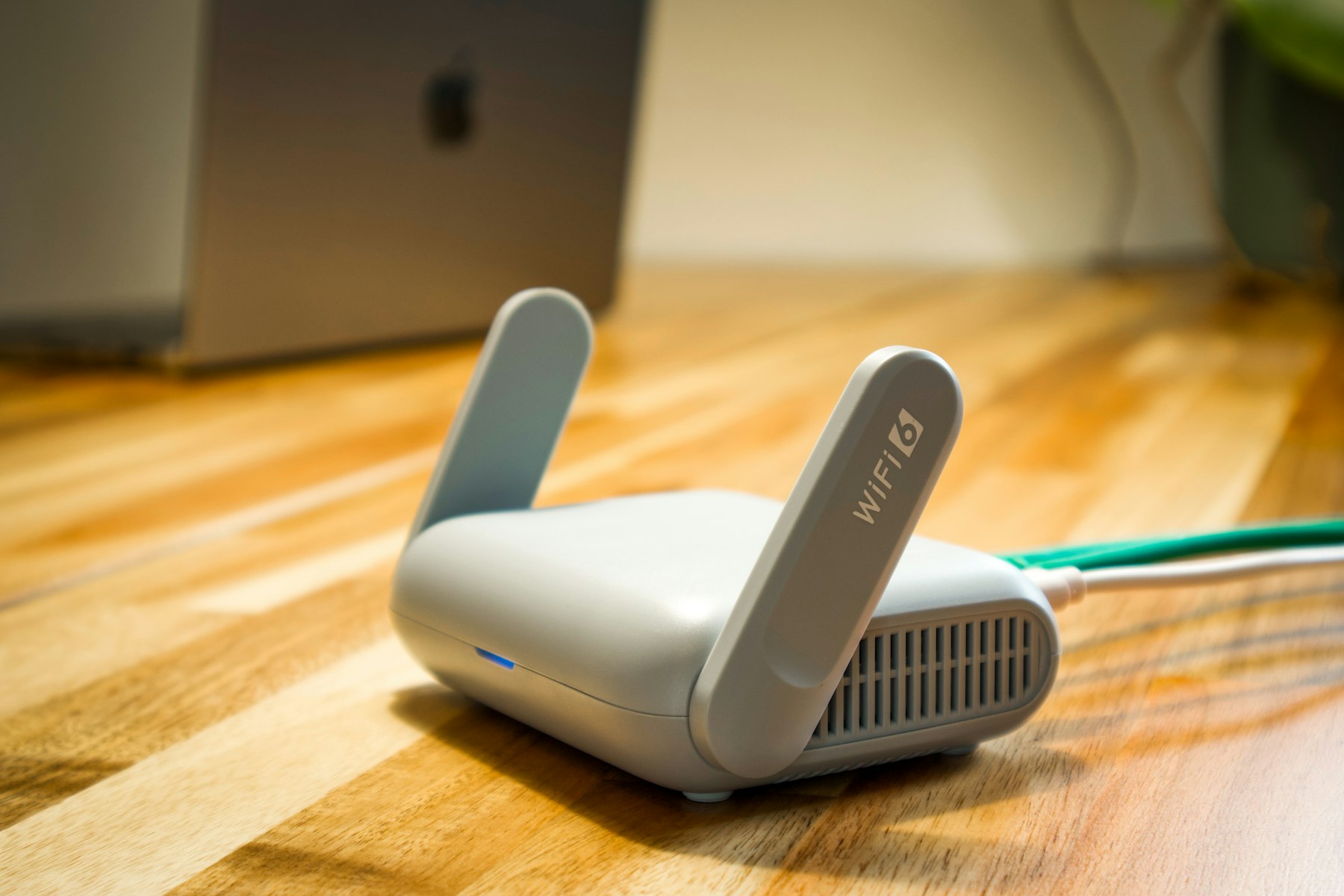
Router placement, wired-device needs and the surrounding home layout matter as much as headline Wi-Fi class.
At-a-Glance Decision Table
Decision point
TP-Link Archer BE230
ASUS RT-BE58U
Wi-Fi class
BE3600
BE3600
Bands
2.4 GHz + 5 GHz
2.4 GHz + 5 GHz
Published wireless rates
688 Mbps + 2882 Mbps
688 Mbps + 2882 Mbps
Wi-Fi 7 features
MLO, 4K-QAM, Multi-RUs
MLO, 4K-QAM
2.5GbE ports
1 WAN + 1 LAN
1 configurable WAN/LAN
Other Ethernet
3 × 1GbE LAN
4 × 1GbE total WAN/LAN/LAN configuration
Mesh path
EasyMesh
AiMesh
USB
USB 3.0
USB 3.2 Gen 1
Best fit
Simple multi-gig upgrade
AiMesh and advanced controls
Information-gain note: the two routers share the same BE3600 headline class, but that does not make them interchangeable. The practical difference is the surrounding architecture: wired-port layout, mesh ecosystem, router controls and how many multi-gig wired devices you expect to connect.
What Matters Most in an Entry Wi-Fi 7 Router
Wi-Fi 7 does not automatically mean 6 GHz
Both the Archer BE230 and RT-BE58U implement Wi-Fi 7 features on 2.4 GHz and 5 GHz, but neither includes a 6 GHz radio. That matters because 6 GHz can provide cleaner spectrum and wider channel options in compatible environments. If your main goal is specifically to add 6 GHz, neither router solves that problem.
BE3600 is an aggregate class, not a speed promise to one device
The published 688 Mbps and 2882 Mbps figures describe the maximum link-rate classes across the two bands under supported conditions. A single phone or laptop will not combine every radio stream into the full BE3600 number, and internet speed remains limited by the ISP plan, modem or ONT, Ethernet path and the client device.
Multi-gig wired layout can matter more than headline Wi-Fi
The TP-Link provides a dedicated 2.5GbE WAN port and a separate 2.5GbE LAN port. The ASUS provides one 2.5GbE WAN/LAN port. In both cases, a household with several wired multi-gig clients will quickly outgrow the built-in multi-gig port count and may need a separate 2.5GbE switch.
Mesh ecosystem is a long-term ownership choice
TP-Link uses EasyMesh; ASUS uses AiMesh. If you already own compatible nodes from one ecosystem, that can be more important than a small difference in router specifications because it affects how easily you can expand coverage later.
Same BE3600 Class, Different Router Architecture
TP-Link Archer BE230 — straightforward dual-band upgrade: TP-Link combines four external antennas, 2×2 wireless operation on each band, MLO, 4K-QAM, Multi-RUs, dual 2.5GbE ports, USB 3.0 and EasyMesh. The architecture is easy to understand: one multi-gig port for the internet side and one for a fast wired client or downstream switch.
ASUS RT-BE58U — control-heavy AiMesh starting point: ASUS pairs BE3600 wireless with a 2.0 GHz quad-core processor, 1 GB of RAM, AiMesh, VPN functions, AiProtection features and USB 3.2 Gen 1. That makes the RT-BE58U more attractive when the router is expected to do more than simply route a fast internet connection.
Buyer implication: if both cover your home adequately, choose based on the network you intend to build around the router rather than assuming the identical BE3600 label means identical ownership.
Detailed Product Evaluations
TP-Link Archer BE230: Best Value for a Straightforward 2.5G Upgrade
Best for: a home or apartment that wants current Wi-Fi 7 features, a clear 2.5GbE WAN-to-LAN path and the option to extend coverage with EasyMesh.
Why it stands out: the Archer BE230 lists BE3600 dual-band wireless, MLO, 4K-QAM, Multi-RUs, one 2.5GbE WAN port, one 2.5GbE LAN port, three gigabit LAN ports and USB 3.0. That port layout is particularly useful when your internet service exceeds 1 Gbps and you also have one multi-gig desktop, NAS or downstream switch.
Advantages: dedicated 2.5GbE WAN and LAN, straightforward port roles, EasyMesh support, USB 3.0 and the core Wi-Fi 7 efficiency features.
Trade-offs: no 6 GHz band, only one 2.5GbE LAN port and real wireless performance will still depend on client capability and radio conditions.
Who should avoid it: buyers specifically shopping for 6 GHz, or homes that need several wired multi-gig ports without adding a switch.
Bottom line: the Archer BE230 is the more direct value-oriented route into standalone Wi-Fi 7 when one 2.5GbE wired client path is enough.
Amazon.ca prices and availability can change. Check the product page for current purchase details.
ASUS RT-BE58U: Best for AiMesh and Deeper Router Controls
Best for: buyers who want an entry Wi-Fi 7 router inside the ASUS ecosystem and expect to use AiMesh, VPN or more advanced router-management features.
Why it stands out: ASUS lists BE3600 dual-band wireless, MLO and 4K-QAM together with a 2.0 GHz quad-core processor, 1 GB of memory, AiMesh, USB 3.2 Gen 1 and its network-security and VPN toolset.
Advantages: strong management ecosystem, AiMesh expansion, capable processor and memory platform, USB connectivity and familiar ASUS network controls.
Trade-offs: no 6 GHz band, and only one port is 2.5GbE, so a multi-gig internet connection plus several multi-gig wired devices requires more planning.
Who should avoid it: buyers who only need a basic standalone router and would not use the extra ASUS ecosystem features.
Bottom line: the RT-BE58U makes more sense when the router is the centre of a broader ASUS-managed network rather than a one-box speed upgrade.
Amazon.ca prices and availability can change. Check the product page for current purchase details.
Which Router Should You Choose?
Choose the TP-Link Archer BE230 if you want the clearest 2.5GbE WAN-plus-LAN layout and a simple EasyMesh-compatible upgrade.
Choose the ASUS RT-BE58U if AiMesh, VPN functions and deeper router controls are likely to matter over the next few years.
Skip both if 6 GHz is the reason you are moving to Wi-Fi 7; shop for a tri-band Wi-Fi 7 model instead.
Add a 2.5GbE switch if more than one wired multi-gig client needs full-speed local connectivity.
Compatibility, Setup and Upgrade Limits
Your modem or ONT must expose the speed you are paying for
A 2.5GbE router port cannot create a multi-gig internet connection on its own. The modem or fibre ONT, Ethernet cable, ISP profile and router WAN port all need to support the target rate.
Wi-Fi 7 clients are required for Wi-Fi 7-specific benefits
Older Wi-Fi 5 and Wi-Fi 6 devices can still connect, but features such as Multi-Link Operation require compatible client hardware and software. Buying a Wi-Fi 7 router today can still be useful for an incremental upgrade, but do not expect an older laptop to gain every Wi-Fi 7 feature.
Router placement still matters
Keep the router elevated and reasonably central when possible, away from large metal objects and enclosed cabinets. A stronger standard cannot compensate for poor placement or a home layout that really needs multiple access points.
Firmware, Mesh Expansion and Long-Term Ownership
Both products depend on firmware for security fixes, compatibility and Wi-Fi behaviour. After installation, update the router, set a unique administrator password, use WPA2/WPA3 or WPA3 where your device mix allows it, and review remote-management settings rather than leaving unnecessary services enabled.
Think ahead about expansion. EasyMesh and AiMesh both provide a path beyond one router, but they are not the same ecosystem. If you plan to add nodes later, choose the platform you are comfortable maintaining instead of treating mesh as an afterthought.
USB storage and network-sharing features can be useful, but a router should not automatically be treated as a full NAS replacement. Dedicated storage hardware generally offers better redundancy, backup options and serviceability.
A router upgrade is most useful when the ISP plan, wired ports and client devices can use the added network capacity.
Buying Advice and Avoidable Mistakes
Do not buy a dual-band Wi-Fi 7 router assuming it includes 6 GHz. Check the actual radio bands.
Do not treat BE3600 as one-device throughput. It is a class built from band-level link rates.
Do not ignore the wired path. A gigabit modem port or gigabit switch can become the real bottleneck.
Do not choose mesh branding after the fact. EasyMesh and AiMesh influence future expansion.
Do not expect a router upgrade to fix every dead zone. Building materials and placement can still require additional access points.
Related Hamejur Guides
If the router upgrade is part of a broader connected-home refresh, compare our video doorbells for Canadian homes. For a laptop desk that needs more wired I/O, see our USB-C hub comparison. If the same mobile setup needs backup power away from the wall, our laptop power-bank guide explains USB-C charging and capacity trade-offs.
Buyer Questions
Do the Archer BE230 and RT-BE58U have 6 GHz Wi-Fi?
No. Both are dual-band Wi-Fi 7 routers using 2.4 GHz and 5 GHz. If you specifically need 6 GHz, look for a tri-band Wi-Fi 7 model.
Can older Wi-Fi devices use these routers?
Yes. Older compatible Wi-Fi clients can connect, but Wi-Fi 7-specific features such as MLO require matching client support.
Can either router become part of a mesh network?
Yes, through their respective ecosystems: the Archer BE230 supports EasyMesh and the RT-BE58U supports ASUS AiMesh.
Which is better for a 2.5GbE wired device?
The Archer BE230 has a clearer dedicated layout with one 2.5GbE WAN and one 2.5GbE LAN. The ASUS has one 2.5GbE WAN/LAN port, so the best fit depends on how you assign that port.
Will Wi-Fi 7 make a 1 Gbps internet plan faster than 1 Gbps?
No. The router can improve local wireless capability and reduce some network bottlenecks, but the internet connection cannot exceed the service delivered by the ISP and upstream equipment.
What I Would Choose
I would choose the TP-Link Archer BE230 for a straightforward home upgrade because its dedicated 2.5GbE WAN and 2.5GbE LAN layout is easy to use and its EasyMesh support leaves a clear expansion path. I would choose the ASUS RT-BE58U instead when AiMesh, VPN and ASUS network controls are part of the reason for buying. The recommendation changes completely if 6 GHz is a requirement, because neither router includes that band.
Sources and Method
Hamejur used current official TP-Link Canada and ASUS Canada specifications for wireless class, supported bands, port layout, Wi-Fi 7 features, USB connectivity and mesh capability. Amazon.ca data is handled separately through Hamejur’s Amazon connector for exact marketplace identity, current price, availability, affiliate URLs and Amazon product imagery. Hamejur did not perform hands-on throughput testing for this comparison.